
Koristite zastareli preglednik. Možda se neće pravilno prikazivati ova ili druge veb stranice.
Trebalo bi da nadogradite ili koristite alternativni preglednik.
Trebalo bi da nadogradite ili koristite alternativni preglednik.

Stock
Čuven
- Učlanjen(a)
- 07.09.2018
- Poruke
- 6,744
- Poena
- 685
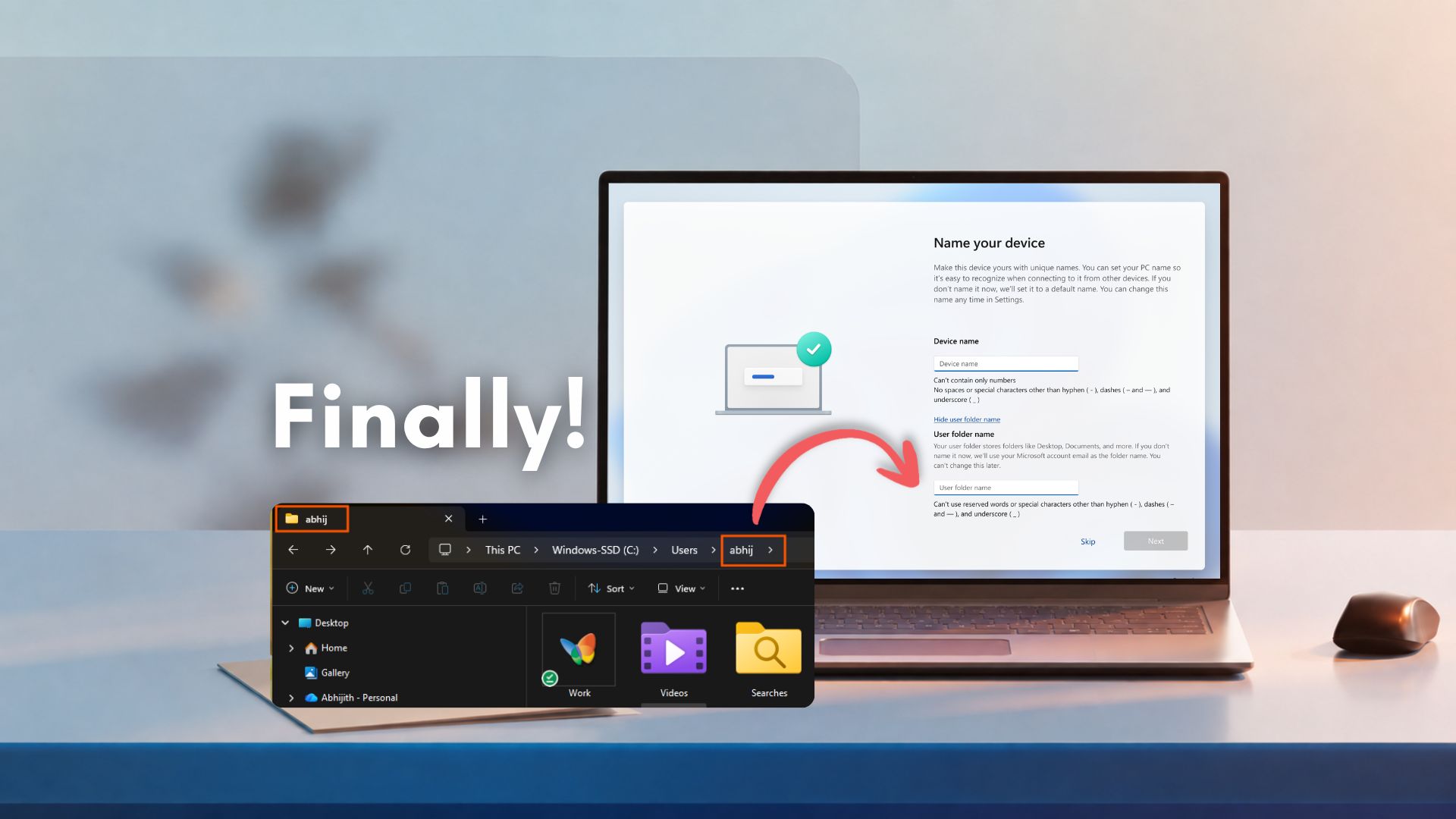
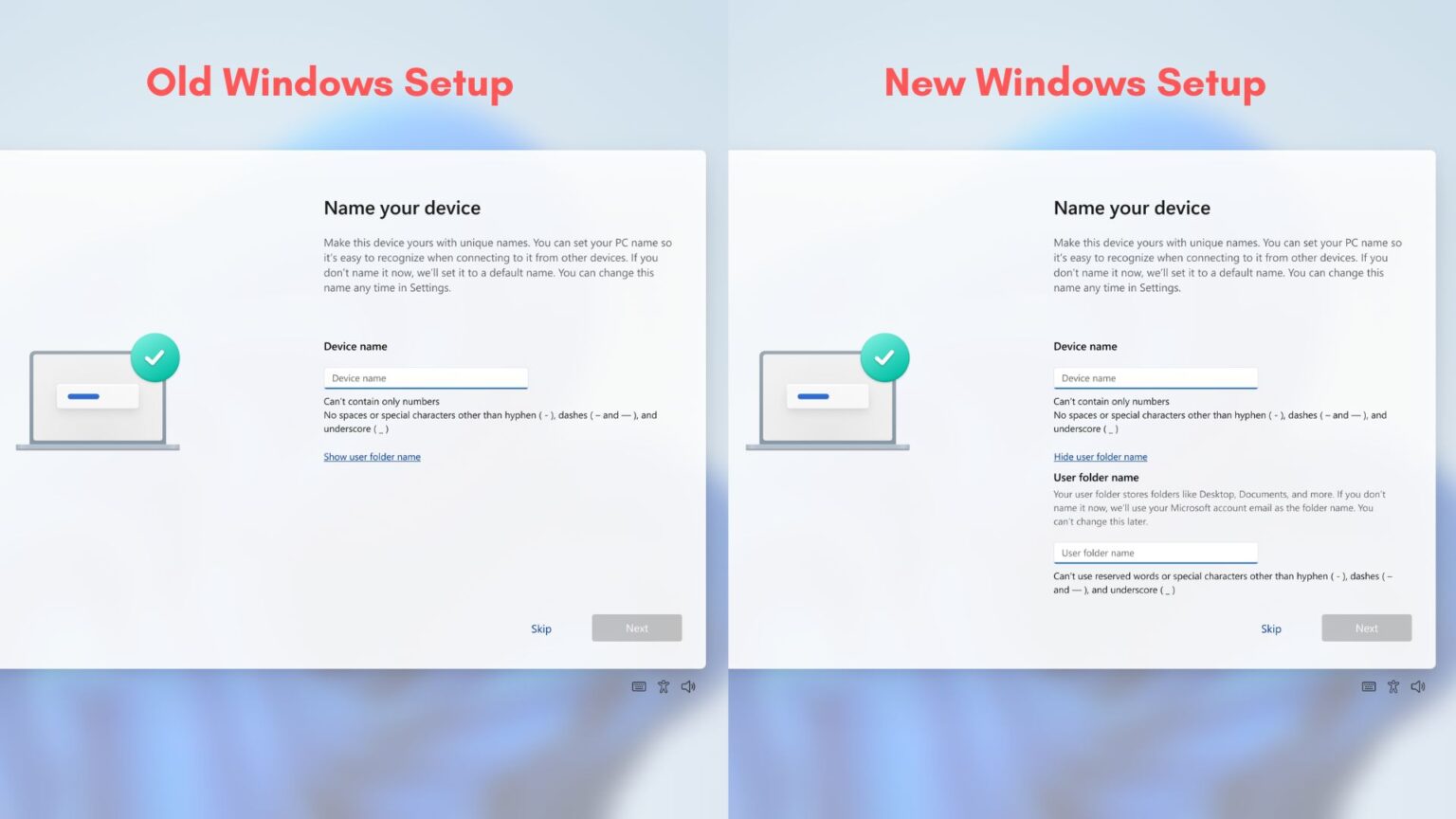
Microsoft is killing Windows 11's awkward 5-letter user folder name after years of complaints, but only for new setups
My 2026 optional update lets Windows 11 users choose a proper user folder name during setup instead of the first five letters of email ID.
 www.windowslatest.com

These 5 PowerShell commands let me disable the annoying Windows features that aren't in Settings
Gone in seconds with the right PowerShell command.
 www.howtogeek.com
Možda malo detaljniji način za uklanjanje Copilota. Ova scripta je sa GitHuba (link). Objašnjava naš čovek.
Prilozi


Pauk
Cenjen
- Učlanjen(a)
- 24.04.2025
- Poruke
- 1,397
- Poena
- 165
Moja oprema
- CPU & Cooler
- Ryzen R9 7900x + Arctic LF3 360 ARGB
- Matična ploča
- ASRock B650M-HDV/M.2
- RAM
- KINGSTON Fury Beast 32GB (2x16GB) DDR5 6000MHz CL 30 Black
- GPU
- AMD Rx 6600xt 8GB Gigabyte
- Storage
- Kingston KC3000 1TB., CT2000P3PSSD8 : 2000,3 GB,Lexar SSD NM610PRO 2TB : 2000,3 GB, CT1000P1SSD8 : 1000,2 GB
- Zvuk
- Realtek 887
- PSU
- Core 750W GX-750 Polu modularno
- Kućište
- Sharkoon
- Monitor
- 2 x 27" 1080p IPS:
- Pristup internetu
- Wireless provajder

Stock
Čuven
- Učlanjen(a)
- 07.09.2018
- Poruke
- 6,744
- Poena
- 685
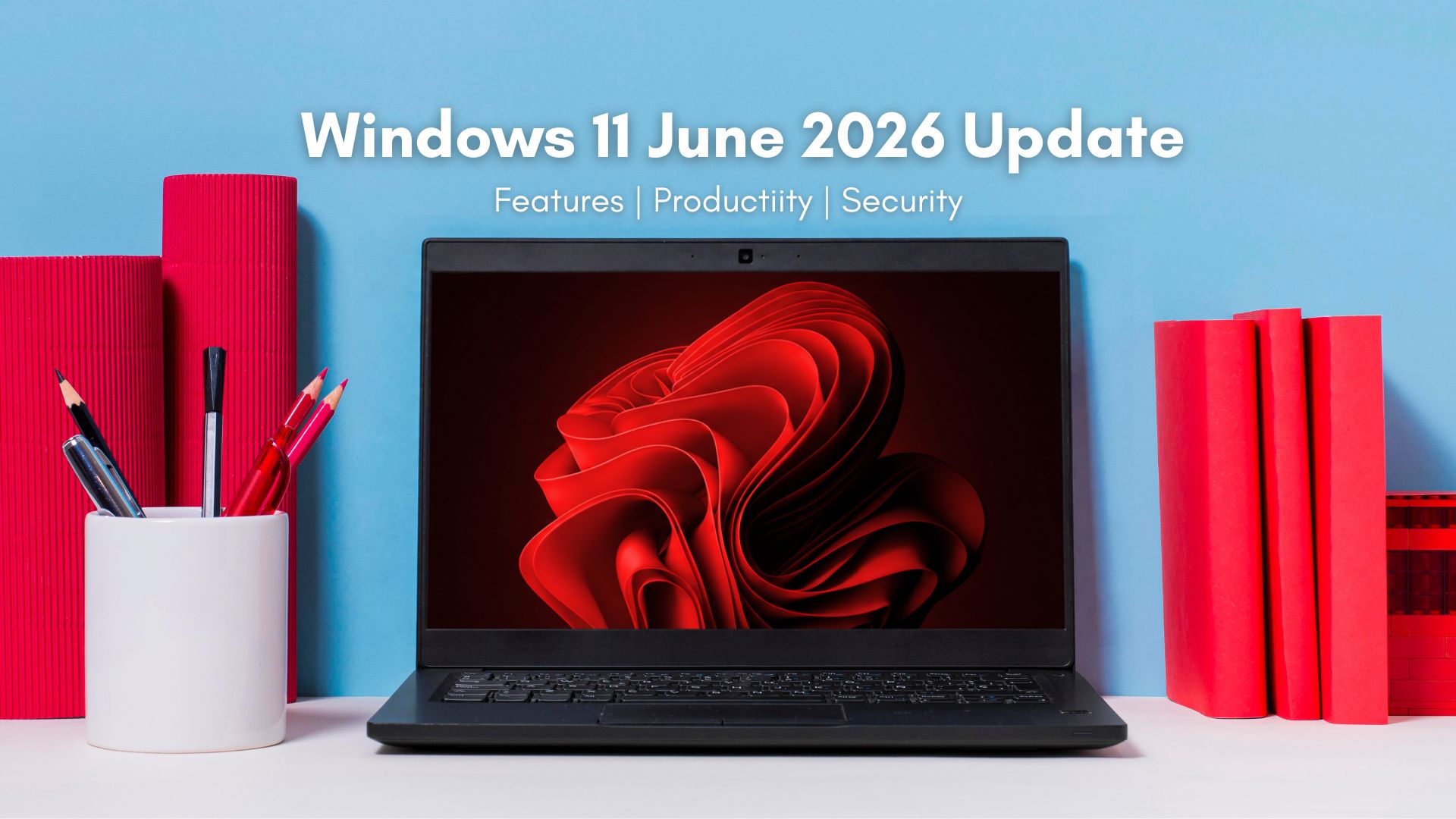
I tested Windows 11 June 2026 Updates: Here's everything new, improved, and fixed
Windows 11 June 2026 Patch Tuesday update brings Low Latency Profile, Shared Audio, Multi-App Camera, NPU tracking, and Secure Boot updates.
www.windowslatest.com
Here is a summary of everything coming in the June 2026 update:
- Low Latency Profile now rolls out broadly, accelerating app launches, Start menu, Search, and Action Center.
- Secure Boot certificate updates roll out immediately to all eligible devices as part of the normal rollout.
- Shared Audio lets two people listen from a single Windows 11 PC at the same time via Bluetooth LE Audio.
- Task Manager gets new NPU usage columns and an Isolation column for AppContainer processes.
- Multi-App Camera lets multiple apps access the same camera stream simultaneously.
- Windows Setup now lets you choose a custom user folder name during installation.
- Magnifier improvements include clearer screen reader announcements and support for protected content.
- Windows Hello is refined so that face and fingerprint sign-in always defaults back as the primary method.
- Windows Search now finds files with as few as two characters.
- Storage settings now let you specify the Dev Drive size in gigabytes.
- USB4 display reliability and USB3 recovery against hardware faults are improved.
- Times New Roman gets an updated rendering for Greek and Cyrillic scripts.
- Personalization improvements fix accent color accuracy and wallpaper persistence.
- Task Scheduler now saves column width adjustments across sessions.
- Microsoft Store gets improved download performance and better error reporting.
- A fix lands for the 0x800f0922 error that prevented some PCs from completing updates when the EFI System Partition had limited space.

TajmBanditBouns
Cenjen
- Učlanjen(a)
- 26.11.2019
- Poruke
- 638
- Poena
- 155
Moja oprema
- CPU & Cooler
- Intel Core Ci7 4771@ Coolink CoratorDS
- Matična ploča
- MSI Z87M-G43
- RAM
- HyperX Savage 32GB 1600MHz
- GPU
- ASUS ROG Strix GeForce GTX 1080Ti 11GB
- Storage
- Samsung 840 Evo & Toshiba DT01ACA100 500GB
- Zvuk
- Genius 5.1, 7.1 CH HD Audio (Realtek ALC1220/ALC1200 Audio Codec)
- PSU
- Chieftec polaris 1050W Gold
- Kućište
- Cooler Master NR600
- Monitor
- BENQ GC2870 60Hz
- Miš & tastatura
- ASUS ROG Strix Impact III + Limeide ARGB
- Ostale periferije
- WINDOWS 11 Pro 64 bi
- Mobilni telefon
- iphone 8 Plus 256GB Silver
- Pristup internetu
- Kablovski internet
- ADSL
- Mobilni internet
- Wireless provajder

Stock
Čuven
- Učlanjen(a)
- 07.09.2018
- Poruke
- 6,744
- Poena
- 685
Microsoft releases new Windows 11 Media Creation Tool with the latest updates

Today, the company pushed new ISOs to Media Creation Tool, allowing you to create images with the June 2026 Patch Tuesday updates.
Poslednja izmena:


Sass Drake
Slavan
- Učlanjen(a)
- 27.06.2009
- Poruke
- 2,405
- Poena
- 445
Da li neko ima ideju sta je ovo??....odjednom u toku rada,racunar se zamrzao i prilikom reseta ovakav ekran......win 11 se ne dize
Testiraj RAM za početak.

- Učlanjen(a)
- 04.12.2020
- Poruke
- 1,200
- Poena
- 185
Testiraj RAM za početak.
Nikada do sada to nisam video...ne znam da li je softwerski ili hardwerski problem...
Medjutim,pokusao sam ponovo restart,win poceo da se ucitava i opet crn ekran....ostavio sam tako i otisao da veceram,kad sam se vratio 10 min kasnije,win startovan i sve radi normalno (??)

Xorlath
Poštovan
- Učlanjen(a)
- 03.12.2018
- Poruke
- 149
- Poena
- 80
Najcesce je softverski, uzmi i reinstaliraj drajvere za gpu, wifi, bluetooth i ako ima noviji BIOS za tvoju maticnu odradi update. Od ovoga se krece, ako nakon i ovoga ti se javlja, odradi u cmdu sfc sken za korumpirane fsjlove na ssdu.Nikada do sada to nisam video...ne znam da li je softwerski ili hardwerski problem...
Medjutim,pokusao sam ponovo restart,win poceo da se ucitava i opet crn ekran....ostavio sam tako i otisao da veceram,kad sam se vratio 10 min kasnije,win startovan i sve radi normalno (??)

illidan
- Bike Camper -
- Učlanjen(a)
- 02.02.2005
- Poruke
- 24,203
- Poena
- 2,605
Moja oprema
- CPU & Cooler
- amd 5800x3d, cm atmos 240 - phanteks t30
- Matična ploča
- asus rog strix b550-i gaming
- RAM
- g.skill trident z neo 32gb cl16 3600
- GPU
- nvidia rtx 4070super founders edition
- Storage
- samsung 980 pro 1tb, wd black sn770 2tb
- Zvuk
- ifi zen dac v2 - fosi audio za3 - kef q350, fiio ft1, all balanced
- PSU
- corsair sf750 platinum
- Kućište
- lian li a4 h2o
- Monitor
- gigabyte mo27q28g
- Miš & tastatura
- g-wolves hts plus pro 8k, kbd.fans tofu65 raw alu - cream soda switches - gmk serika 2 keycaps
- Pristup internetu
- Optički internet
to je valjda onaj novi black screen kada radi repair sam, tj pokusava da sredi problem.
Stock
Čuven
- Učlanjen(a)
- 07.09.2018
- Poruke
- 6,744
- Poena
- 685
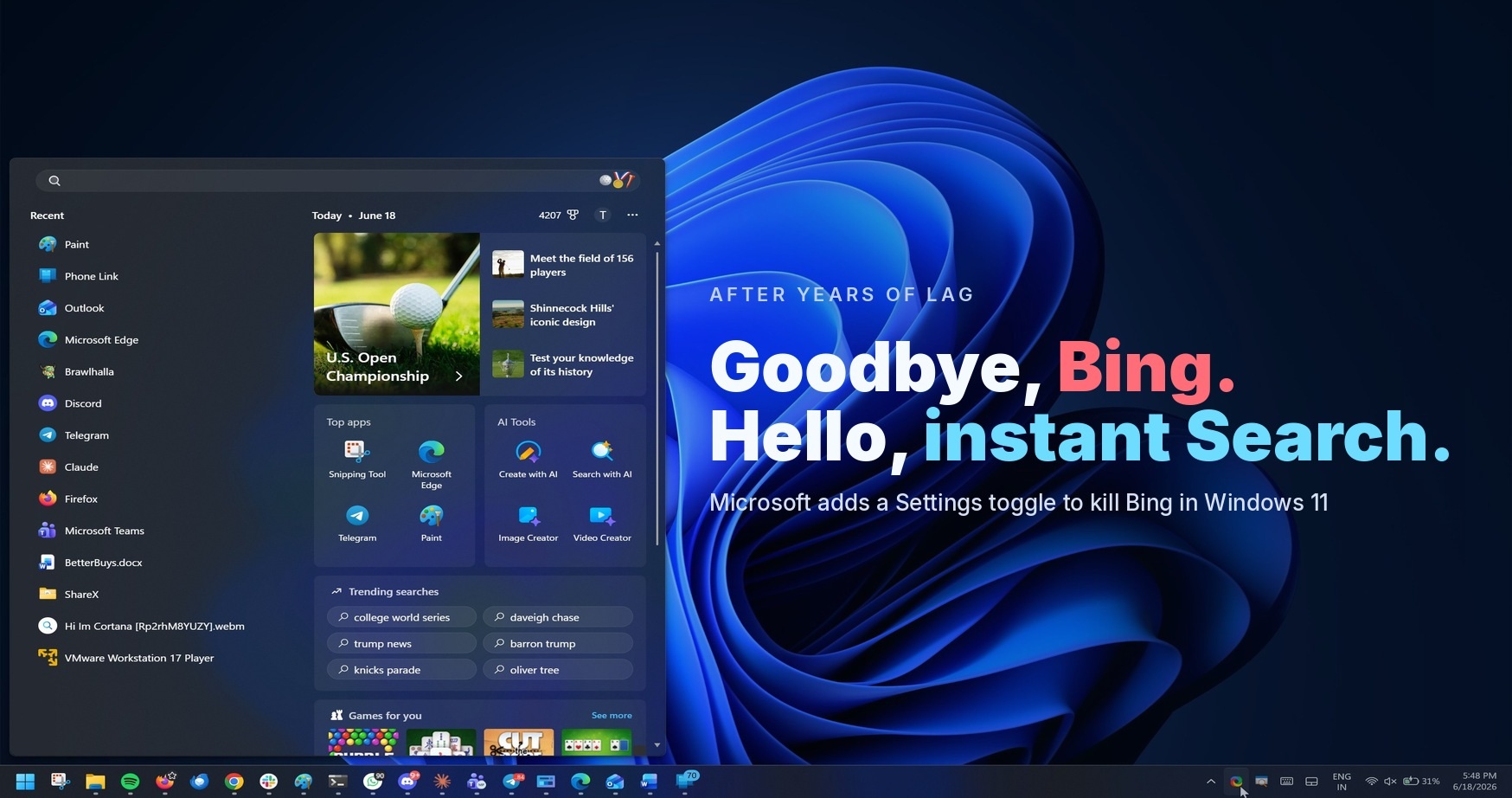
When you turn off Bing, Windows Search will only surface local results. It’ll also drop the Microsoft Rewards icon that you usually see. And Bing removal also means you’ll no longer run into Copilot ads when finding your files.To disable Bing, you need to open Settings > Privacy & Security > Search and toggle off “web results.”
This change also means Windows Search’s homepage will stop showing items from MSN, Bing, and other linked Microsoft services. You’ll have a clean interface with only your recent searches. The experience is going to be similar to or better than Windows 11 LTSC, where you can entirely turn off web search.
Right now, Windows Search’s ability to turn off web results is still being tested and will roll out soon.
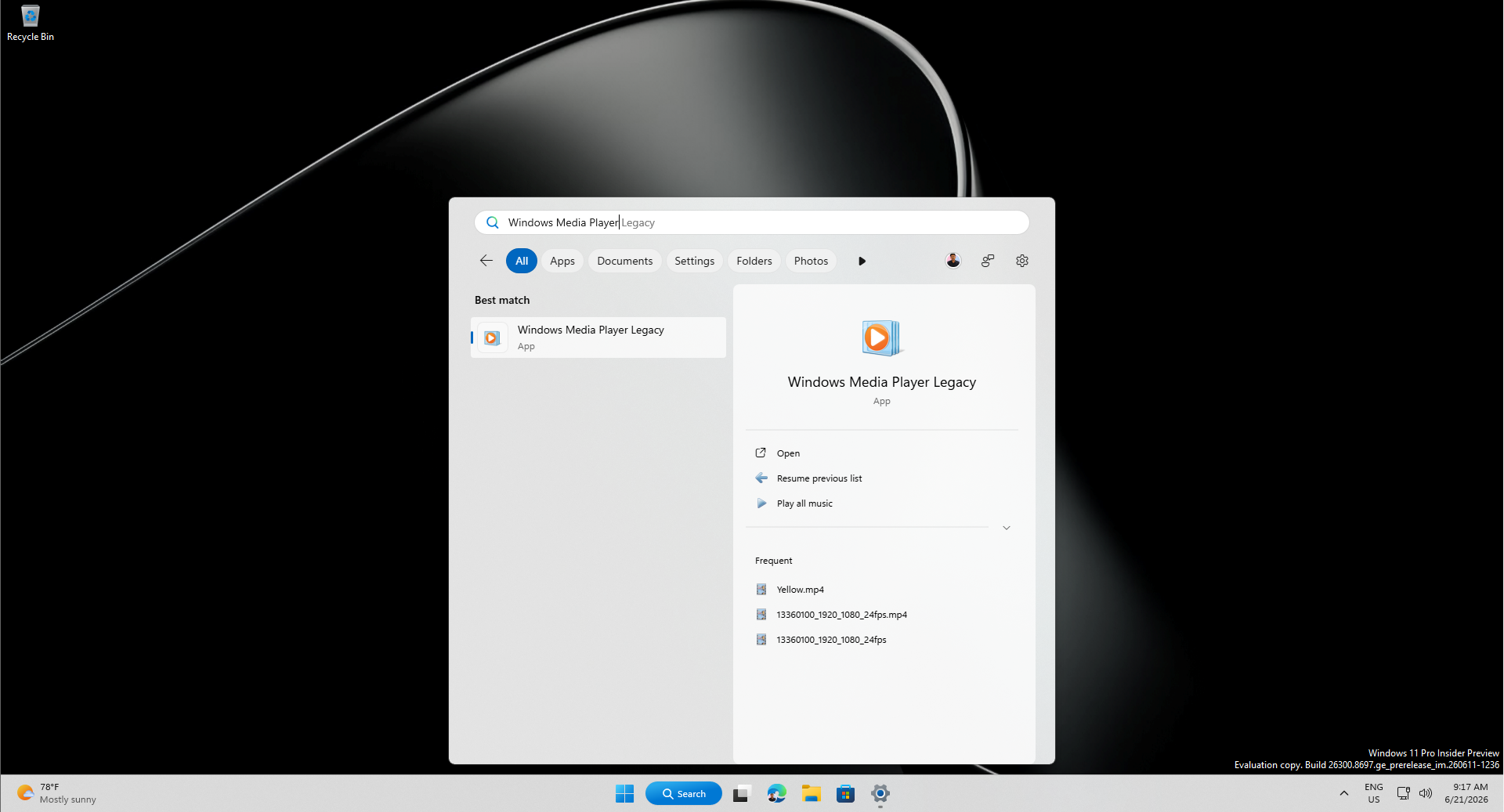
Microsoft reveals you can kill Bing in Windows 11 Search and boost performance after years of lag
Microsoft has confirmed what we reported a little while ago: you'll be able to Bing web results in Windows 11 Start menu search.
www.windowslatest.com
Latest Rufus update improves new Windows 11 install method
Rufus v4.15 BETA: DOWNLOAD
Poslednja izmena:
Stock
Čuven
- Učlanjen(a)
- 07.09.2018
- Poruke
- 6,744
- Poena
- 685
Windows 11 Consumer 25H2 26x00.8655 (Updated June 2026) MVS ISOs:
en-us_windows_11_consumer_editions_version_25h2_updated_june_2026_x64_dvd_2045a41c.iso
sr-latn-rs_windows_11_consumer_editions_version_25h2_updated_june_2026_x64_dvd_2045a41c.iso
en-us_windows_11_consumer_editions_version_25h2_updated_june_2026_x64_dvd_2045a41c.iso
sr-latn-rs_windows_11_consumer_editions_version_25h2_updated_june_2026_x64_dvd_2045a41c.iso
Pauk
Cenjen
- Učlanjen(a)
- 24.04.2025
- Poruke
- 1,397
- Poena
- 165
Moja oprema
- CPU & Cooler
- Ryzen R9 7900x + Arctic LF3 360 ARGB
- Matična ploča
- ASRock B650M-HDV/M.2
- RAM
- KINGSTON Fury Beast 32GB (2x16GB) DDR5 6000MHz CL 30 Black
- GPU
- AMD Rx 6600xt 8GB Gigabyte
- Storage
- Kingston KC3000 1TB., CT2000P3PSSD8 : 2000,3 GB,Lexar SSD NM610PRO 2TB : 2000,3 GB, CT1000P1SSD8 : 1000,2 GB
- Zvuk
- Realtek 887
- PSU
- Core 750W GX-750 Polu modularno
- Kućište
- Sharkoon
- Monitor
- 2 x 27" 1080p IPS:
- Pristup internetu
- Wireless provajder
Get ready for Windows 11, version 26H2 - Windows IT Pro Blog
Explore the next feature update for Windows 11, with familiar servicing, testing, and rollout paths.
 techcommunity.microsoft.com

50cent
Poštovan
- Učlanjen(a)
- 11.11.2021
- Poruke
- 172
- Poena
- 70

Pauk
Cenjen
- Učlanjen(a)
- 24.04.2025
- Poruke
- 1,397
- Poena
- 165
Moja oprema
- CPU & Cooler
- Ryzen R9 7900x + Arctic LF3 360 ARGB
- Matična ploča
- ASRock B650M-HDV/M.2
- RAM
- KINGSTON Fury Beast 32GB (2x16GB) DDR5 6000MHz CL 30 Black
- GPU
- AMD Rx 6600xt 8GB Gigabyte
- Storage
- Kingston KC3000 1TB., CT2000P3PSSD8 : 2000,3 GB,Lexar SSD NM610PRO 2TB : 2000,3 GB, CT1000P1SSD8 : 1000,2 GB
- Zvuk
- Realtek 887
- PSU
- Core 750W GX-750 Polu modularno
- Kućište
- Sharkoon
- Monitor
- 2 x 27" 1080p IPS:
- Pristup internetu
- Wireless provajder

Pauk
Cenjen
- Učlanjen(a)
- 24.04.2025
- Poruke
- 1,397
- Poena
- 165
Moja oprema
- CPU & Cooler
- Ryzen R9 7900x + Arctic LF3 360 ARGB
- Matična ploča
- ASRock B650M-HDV/M.2
- RAM
- KINGSTON Fury Beast 32GB (2x16GB) DDR5 6000MHz CL 30 Black
- GPU
- AMD Rx 6600xt 8GB Gigabyte
- Storage
- Kingston KC3000 1TB., CT2000P3PSSD8 : 2000,3 GB,Lexar SSD NM610PRO 2TB : 2000,3 GB, CT1000P1SSD8 : 1000,2 GB
- Zvuk
- Realtek 887
- PSU
- Core 750W GX-750 Polu modularno
- Kućište
- Sharkoon
- Monitor
- 2 x 27" 1080p IPS:
- Pristup internetu
- Wireless provajder
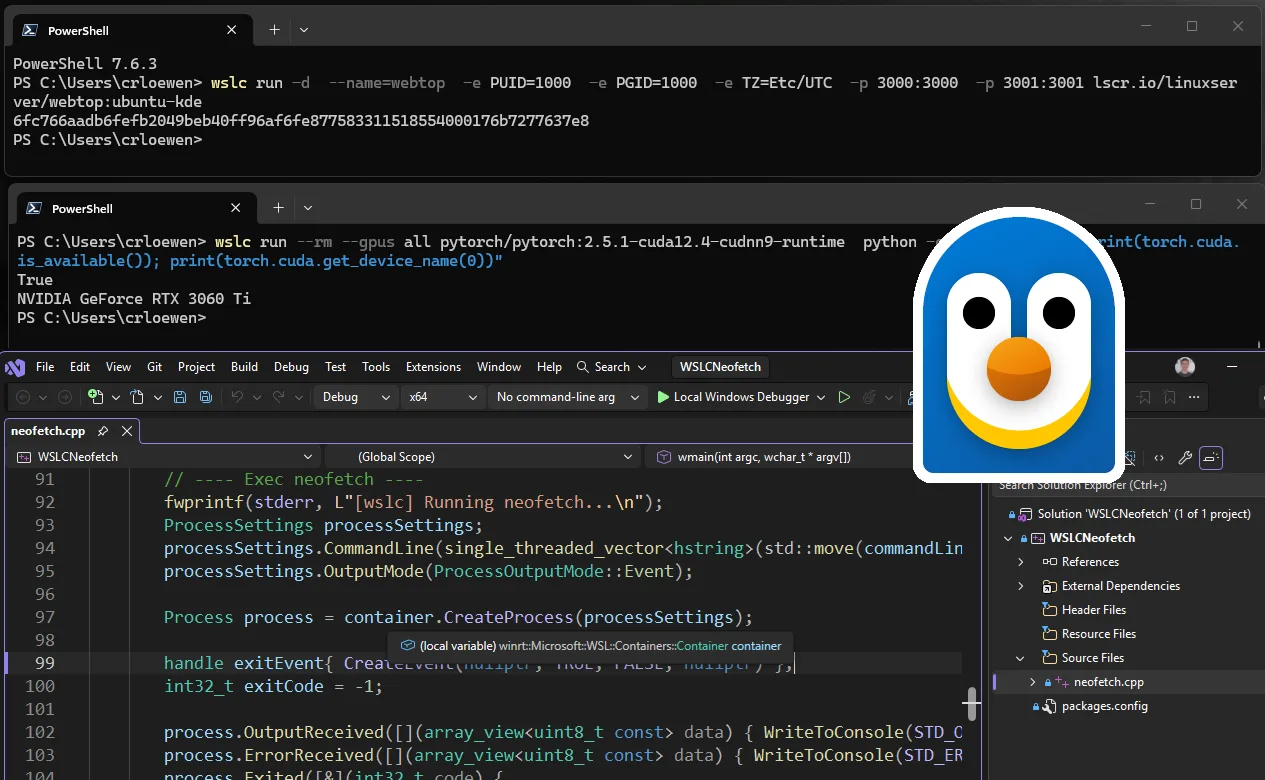
Idemo Linux.
 devblogs.microsoft.com

 github.com
WSL container is now available for public preview
At Microsoft Build 2026, we introduced WSL containers, bringing Linux container development directly into Windows through the Windows Subsystem for Linux
devblogs.microsoft.com
Release 2.9.3 · microsoft/WSL
Release Notes WSL Containers (WSLC) is now in Public Preview We're excited to announce that WSL Containers (WSLC) is now available in public preview. WSLC brings native Linux container support to W...
github.com

Poolmaker
Nenadmašan
- Učlanjen(a)
- 05.04.2013
- Poruke
- 14,186
- Poena
- 2,245
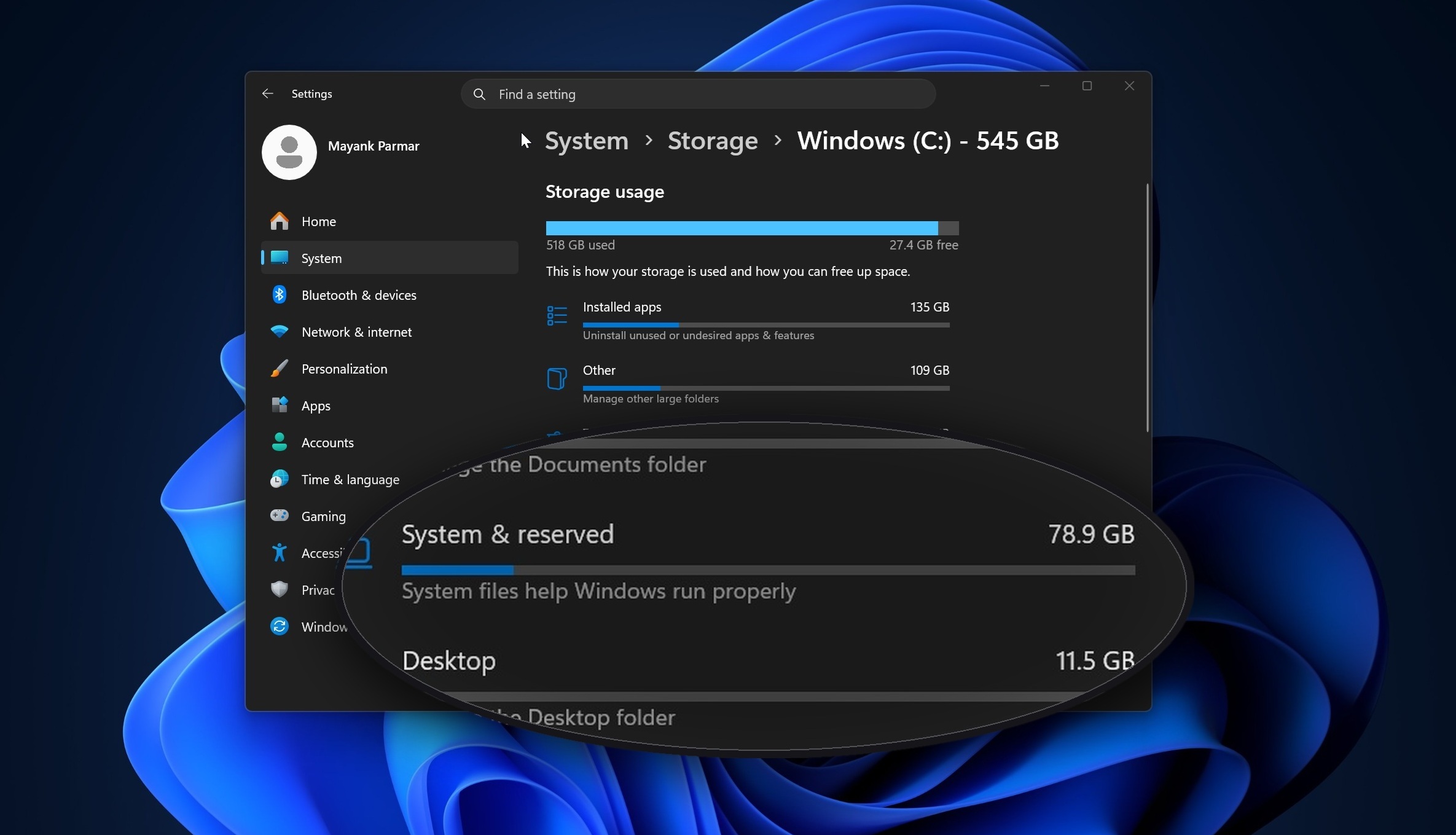
Microsoft admits a Windows 11 bug is eating up to 500GB of storage, verify if you are affected
Microsoft admits a Windows 11 bug is silently eating up to 500GB of your storage, fix coming July 14, 2026.
www.windowslatest.com

TwistedMind
Čuven
- Učlanjen(a)
- 30.05.2009
- Poruke
- 8,472
- Poena
- 825
Moja oprema
- CPU & Cooler
- Intel i5-13600KF & Noctua NH-D15S chromax.black
- Matična ploča
- Gigabyte Z790M AORUS ELITE AX
- RAM
- Corsair VENGEANCE 32GB (2 x 16GB) DDR5 6000MHz C36
- GPU
- ASRock RX 6700 XT Challenger Pro 12GB OC
- Storage
- 1TB Samsung 990 PRO NVMe M.2 SSD
- Zvuk
- FiiO K7 + HiFiMan Sundara, Soundpeats H1 TWS
- PSU
- Seasonic Prime PX 850W Platinum
- Kućište
- Cooler Master Storm Trooper
- Monitor
- 2x ASUS MG279Q
- Miš & tastatura
- Logitech G502 LIGHTSPEED & Asus ROG Falchion MX Brown
- Ostale periferije
- Playstation 5
- Mobilni telefon
- Xiaomi 14
- Pristup internetu
- Optički internet
a sta se smatra normalnim? nije 500gb, ali nije ni beznacajno.

Pauk
Cenjen
- Učlanjen(a)
- 24.04.2025
- Poruke
- 1,397
- Poena
- 165
Moja oprema
- CPU & Cooler
- Ryzen R9 7900x + Arctic LF3 360 ARGB
- Matična ploča
- ASRock B650M-HDV/M.2
- RAM
- KINGSTON Fury Beast 32GB (2x16GB) DDR5 6000MHz CL 30 Black
- GPU
- AMD Rx 6600xt 8GB Gigabyte
- Storage
- Kingston KC3000 1TB., CT2000P3PSSD8 : 2000,3 GB,Lexar SSD NM610PRO 2TB : 2000,3 GB, CT1000P1SSD8 : 1000,2 GB
- Zvuk
- Realtek 887
- PSU
- Core 750W GX-750 Polu modularno
- Kućište
- Sharkoon
- Monitor
- 2 x 27" 1080p IPS:
- Pristup internetu
- Wireless provajder


Na C: je prego 120 programa a od toga skoro pola u igrama koje nisam upalio mesecima i skoro 250GB u privremenim multimedia fajlovima koji su samo bekapovani i čekaju još malu dopunu pa da odu na eksterni disk.

Analayzer
Slavan
- Učlanjen(a)
- 26.01.2012
- Poruke
- 1,419
- Poena
- 225
Ja volem moj 26H1. Ali nikako da mi legne za Borderland4 te koči igra te secka nainstalirao sam se različitih kombinacija ovih par dana i ovih normalnih i ovih radjenih sa što manje opterećenja samo za Borederland4. Ubo sam ga sa jednim radjenim i više ga ne diram, a ovo je normalan na drugoj particiji za druge stvari. 🙂😊☺️😇😌🥰

Da dodam za prethodne postove moj radjeni go Windouz instaliran u Virtualnoj mašini da proverim da li radi ISO.

Da dodam za prethodne postove moj radjeni go Windouz instaliran u Virtualnoj mašini da proverim da li radi ISO.
Poslednja izmena:

dulenator
Čuven
- Učlanjen(a)
- 14.08.2005
- Poruke
- 935
- Poena
- 685
Moja oprema
- CPU & Cooler
- AMD Ryzen 7 7700 + AC Liquid Freezer III 420
- Matična ploča
- ASRock B650M Pro RS
- RAM
- 2x16GB Silicon Power SP032GXLWU60AFDE
- GPU
- AMD Radeon RX 6800 XT
- Storage
- Crucial CT500P5SSD8, WD Blue WDS500G2B0A, SanDisk SSD Plus 1000GB, Samsung HD204UI + razni 2, 3, i 4TB HDD-ovi
- Zvuk
- ASUS Xonar DX + Microlab H-500D
- PSU
- Antec HCG Gold 850W
- Kućište
- Neko MS Industrial
- Monitor
- Acer S273HL + TCL 75C735
- Miš & tastatura
- Chicony WUG-0570
- Ostale periferije
- Logitech F710
- Laptop
- ASUS VivoBook S14 (M433UA-EB521)
- Mobilni telefon
- Realme 5 Pro
- Pristup internetu
- ADSL
Nije strašno 48GB za system, ali Temporary files 74GB?!😱 Meni je ostala, još iz doba 95-ice, manija da svako malo brišem temp foldere, jer očas posla pojedu slobodan prostor.a sta se smatra normalnim? nije 500gb, ali nije ni beznacajno.
Pogledajte prilog 545623
TwistedMind
Čuven
- Učlanjen(a)
- 30.05.2009
- Poruke
- 8,472
- Poena
- 825
Moja oprema
- CPU & Cooler
- Intel i5-13600KF & Noctua NH-D15S chromax.black
- Matična ploča
- Gigabyte Z790M AORUS ELITE AX
- RAM
- Corsair VENGEANCE 32GB (2 x 16GB) DDR5 6000MHz C36
- GPU
- ASRock RX 6700 XT Challenger Pro 12GB OC
- Storage
- 1TB Samsung 990 PRO NVMe M.2 SSD
- Zvuk
- FiiO K7 + HiFiMan Sundara, Soundpeats H1 TWS
- PSU
- Seasonic Prime PX 850W Platinum
- Kućište
- Cooler Master Storm Trooper
- Monitor
- 2x ASUS MG279Q
- Miš & tastatura
- Logitech G502 LIGHTSPEED & Asus ROG Falchion MX Brown
- Ostale periferije
- Playstation 5
- Mobilni telefon
- Xiaomi 14
- Pristup internetu
- Optički internet
Pocistio, bilo je RAZNIH stvari tu. dosta po kanti. Ne znam kako, ali kanta je imala fajlove iz pocetka 2024 od kojih su neki preko 10gb.Nije strašno 48GB za system, ali Temporary files 74GB?!😱 Meni je ostala, još iz doba 95-ice, manija da svako malo brišem temp foldere, jer očas posla pojedu slobodan prostor.
bio je tu i backup temp fail i to u skrivenom folderu C:/todobackub_{xxxx}. Nikada ga ne bih nasao da ga nisam slucajno video u spacesniffer. Ostao nakon nekog neuspesnog pokusaja u limbo fazi, 40gb. I sami temp folderi iz app data i windows koji nisu bili strasni, ali opet iz 2024.
Pauk
Cenjen
- Učlanjen(a)
- 24.04.2025
- Poruke
- 1,397
- Poena
- 165
Moja oprema
- CPU & Cooler
- Ryzen R9 7900x + Arctic LF3 360 ARGB
- Matična ploča
- ASRock B650M-HDV/M.2
- RAM
- KINGSTON Fury Beast 32GB (2x16GB) DDR5 6000MHz CL 30 Black
- GPU
- AMD Rx 6600xt 8GB Gigabyte
- Storage
- Kingston KC3000 1TB., CT2000P3PSSD8 : 2000,3 GB,Lexar SSD NM610PRO 2TB : 2000,3 GB, CT1000P1SSD8 : 1000,2 GB
- Zvuk
- Realtek 887
- PSU
- Core 750W GX-750 Polu modularno
- Kućište
- Sharkoon
- Monitor
- 2 x 27" 1080p IPS:
- Pristup internetu
- Wireless provajder
Stari način čišćenja je Run-Cleanmgr pa sve obeležiš, Tu je i Temp folder.

a možeš i dodatno čišćenje backupa i restore Points "Clean up system files

A što se kante tiče, pa vidi se da ima nešto u njoj, isprazni bre ponekad ako ne želiš da izbrisano uopšte ide u kantu onda držiš shift kada klikneš na delete. To je sve još od XPa, čak i dialozi-.
a možeš i dodatno čišćenje backupa i restore Points "Clean up system files
A što se kante tiče, pa vidi se da ima nešto u njoj, isprazni bre ponekad ako ne želiš da izbrisano uopšte ide u kantu onda držiš shift kada klikneš na delete. To je sve još od XPa, čak i dialozi-.

- Učlanjen(a)
- 25.07.2002
- Poruke
- 9,990
- Poena
- 1,105
Moja oprema
- CPU & Cooler
- Xeon 5670 (6c/12t) @ 4.3Ghz
- Matična ploča
- ASUS P6T Deluxe v2
- RAM
- 48Gb HyperX DDR3 @ 1666Mhz
- GPU
- Gigabyte 1060 6Gb
- Storage
- Kodak 512Gb + 16Tb RAID
- Zvuk
- Creative Audigy2 ZS
- PSU
- Zalman ZM600-HP (Heat-Pipe :) )
- Kućište
- Alexander Weiss (glass front + glass side)
- Monitor
- AOC 32" IPS
- Miš & tastatura
- G602 & Drevo 87 key (Red Switch)
- Ostale periferije
- MX Master 2 & K380
- Mobilni telefon
- Moto G9 Plus
- Pristup internetu
- Kablovski internet

castor
Čuven
- Učlanjen(a)
- 09.01.2002
- Poruke
- 2,388
- Poena
- 725
Nevjerovatno je kolika se količina podataka skuplja i čuva tamo negdje u ko zna koliko kopija i kod koga sve.
Još nevjerovatnije je da je Microsoft izvukao iz toga zaključak o potencijalnom imenu i prezimenu i potencijlnoj adresi stanovanja.
A najnevjerovatnije je da je na svoju ruku Microsoft samoinicijativno poslao podatke FBIu, a da mu niko ništa nije tražio.
Katastrofa.
Još nevjerovatnije je da je Microsoft izvukao iz toga zaključak o potencijalnom imenu i prezimenu i potencijlnoj adresi stanovanja.
A najnevjerovatnije je da je na svoju ruku Microsoft samoinicijativno poslao podatke FBIu, a da mu niko ništa nije tražio.
Katastrofa.

Markomaniax
Čuven
- Učlanjen(a)
- 16.06.2008
- Poruke
- 5,568
- Poena
- 895
Moja oprema
- CPU & Cooler
- pola jezgarni jui-hwong 6000
- Matična ploča
- iskljucivo armirana
- RAM
- za sliku, jeste
- GPU
- GFUJ
- Storage
- imam shupu i podrum
- Zvuk
- licni beatboxer
- PSU
- jok, macki
- Kućište
- Ei Nis
- Monitor
- crt gorenje tv bez daljinca
- Miš & tastatura
- comodore + mis sa 386 kompa sa jednim dugmetom
- Pristup internetu
- Modemska 56k veza
Da se upola koncentrisu u optimzaciju svog softvera koliko se koncentrisu u prikupljanje privatnih podataka, ziveli bi smo u totalno drugacijem svetu.
Pauk
Cenjen
- Učlanjen(a)
- 24.04.2025
- Poruke
- 1,397
- Poena
- 165
Moja oprema
- CPU & Cooler
- Ryzen R9 7900x + Arctic LF3 360 ARGB
- Matična ploča
- ASRock B650M-HDV/M.2
- RAM
- KINGSTON Fury Beast 32GB (2x16GB) DDR5 6000MHz CL 30 Black
- GPU
- AMD Rx 6600xt 8GB Gigabyte
- Storage
- Kingston KC3000 1TB., CT2000P3PSSD8 : 2000,3 GB,Lexar SSD NM610PRO 2TB : 2000,3 GB, CT1000P1SSD8 : 1000,2 GB
- Zvuk
- Realtek 887
- PSU
- Core 750W GX-750 Polu modularno
- Kućište
- Sharkoon
- Monitor
- 2 x 27" 1080p IPS:
- Pristup internetu
- Wireless provajder

a sad nakon zadnjeg apdejta ne radi ni unutar teksta kako treba, ranije stavim npr. janko marko i izbaci mi sve fajlove koji imaju janko I marko a sad izbacuje ako ima bilo šta od toga, ne pomaže ni kad stavim AND...radi pretraga unutar teksta, međutim ne pamti pretragu (pokušao sam sve osim rollback updatea, to bi možda pomoglo), i ne pokazuje mi content fajla u pretrazi recimo na Windows 8.1 mi izlista 30 fajlova u prozoru i direktno vidim sadržaj fajla (bar nešto od njega)
Instalacija aplikacije
How to install the app on iOS
Follow along with the video below to see how to install our site as a web app on your home screen.
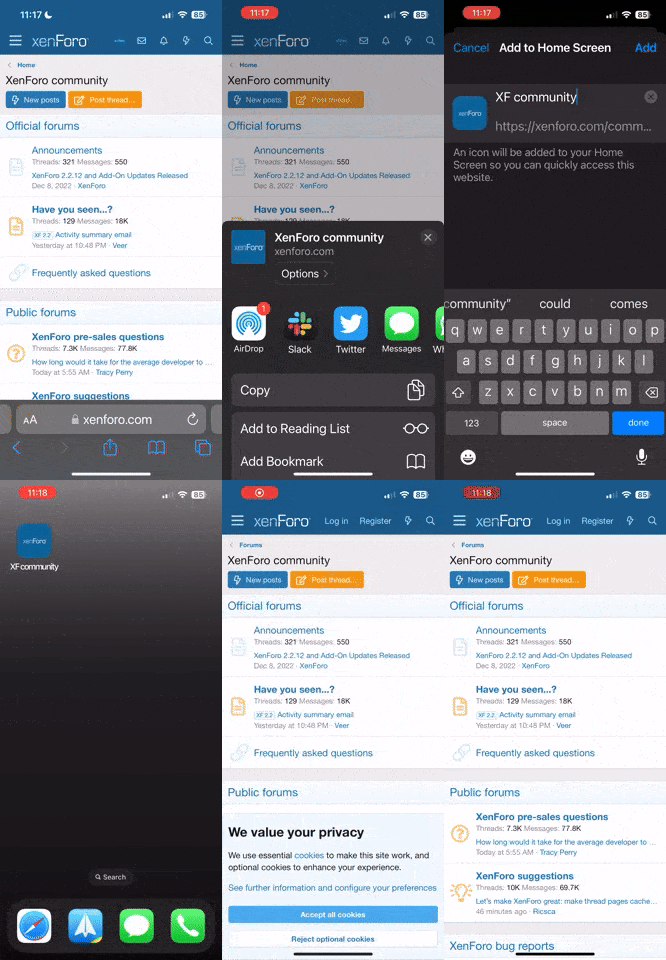
Napomena: this_feature_currently_requires_accessing_site_using_safari