

TsarOfZanzibar
Slavan
- Učlanjen(a)
- 26.08.2016
- Poruke
- 1,610
- Poena
- 465
Isti program mi je obrisao par aplikacija sa mi box s, i to se odmah videlo na ukupnoj memoriji... na tv-u se ne vidi, znači da ih sony izgleda samo krije🙂
Stock, nešto se tu meni ne slaže, kako ti je ostalo 2gb prostora? Evo mojih app a ostalo je manje od 600mb. Hajde par nijh mogu da obrišem, ali opet nema šanse da budem blizu 2gb.Ne vidim zašto SSD ne bi radio?
Nije mi jasno kako ti je 4.4 GB malo - ipak je ovo TV 🙂
Kod mene ovo instalirano i još imam 2GB slobodno:


 Ne znam šta je u misc. verovatno sonijev bloat koji sam sklonio pomoću adb appcontrol 🤔
Jel ima neki kod da se na Sony tv proveri specifikacija...tipa koliko ima RAM memorije i sl ?

Da odgovorim sam sebi. Rešio sam problem sa registracijom tako što sam instalirao Bluetooth Keyboard and Mouse aplikaciju na telefon i tako odjavio uređaj koji ne koristim.Da pitam ovde, vidim da se priča o Andorid TVu. Elem imam Sony Andorid TV i pokušavam da instaliram i pokrenem iris tv go aplikaciju. Kako ne postoji Andorid TV aplikacija, skinuo sam apk i instalirao ručno. I radi.
Kad hoću da se ulogujem na svoj nalog izađe mi poruka da sam prekoračio broj uređaja i da trebam da odjavim neki uređaj. Međutim ne uspevam da odjavim jer ne mogu preko daljinskog da "dođem" do dugmeta u aplikaciji (jer aplikacija nije optimizovana za tv verujem da je to problem).
Da li se još neko susreo sa ovim problemom i da li je rešio?
Problem je što samo mts dashboard nema kontorlu uređaja koji koriste iris tv go, već to jedino može preko aplikacije. Ili postoji još neki način a da ja ne znam 🙂


Control your TV with your phone
Starting today, you can find something great to watch on your Google TV even when the couch has eaten your remote. We’ve built remote-control features directly into your Android phone so you can power on your TV, navigate through your recommendations or even start up your favorite show right from your phone. And you can use your phone’s keyboard to quickly type complicated passwords, movie names or search terms. Try it on your Google TV or other Android TV OS devices by adding the remote tile to quick settings on your Android phone, or by visiting the Google TV app.

 9to5google.com
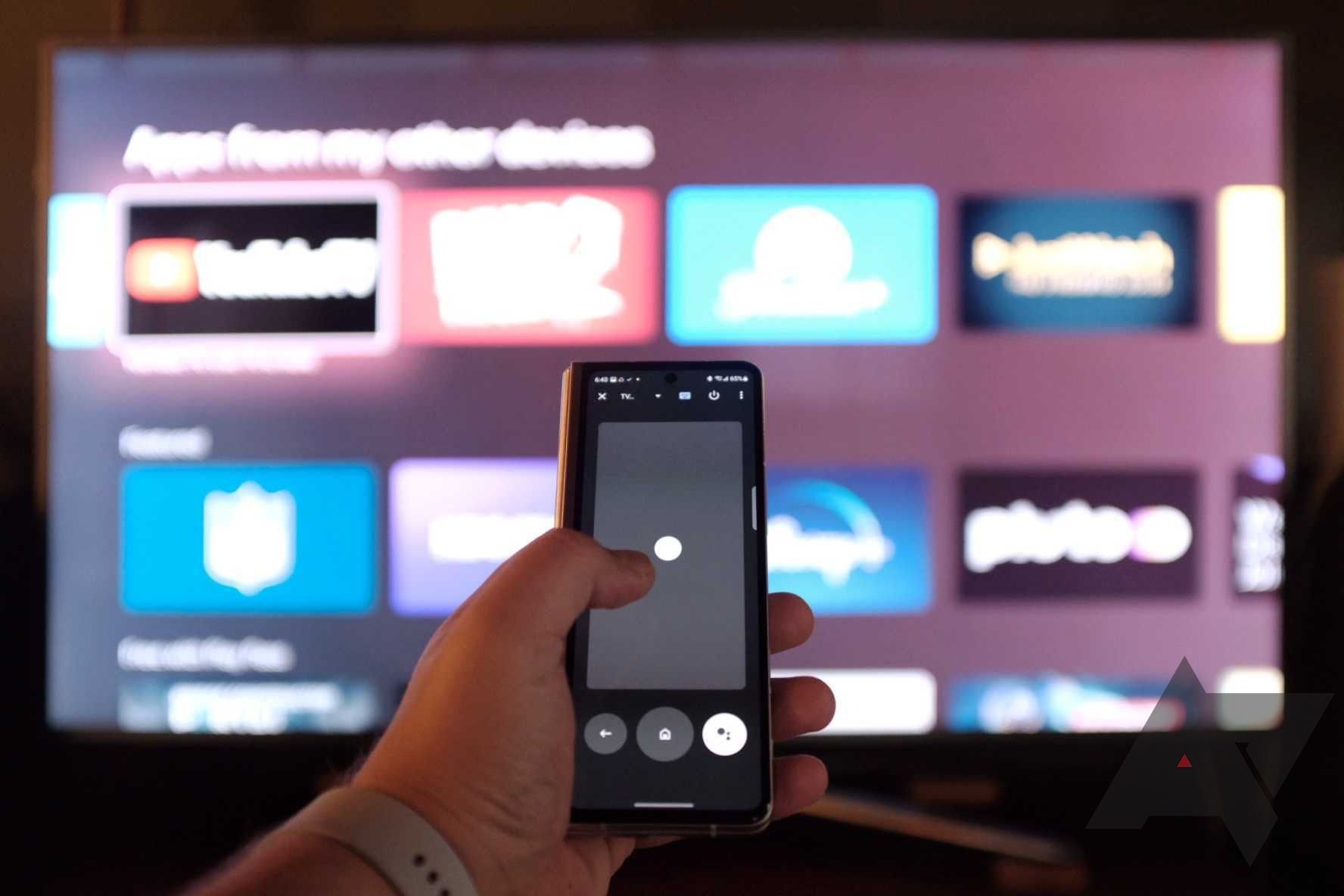
 www.androidpolice.com
To start, you need to have an Android phone running Android 6.0 (Marshmallow) or later with Google TV app version 4.28.48 or later installed. That's available on either the Google Play Store or APK Mirror if you don't already have it.
Your Android TV device also needs both Android Remote Service v 5.0 or higher and Gboard v11.0 or higher. You can download both the latest Gboard for Android TV and the latest Android Remote Services from APK Mirror and follow our guide for sideloading on Android TV here.
One of the best things about the remote is that you can set it to be a quick settings toggle, easily accessed with a swipe and a tap.
Following advantages:
- Upgrade the Android system version to Android 10
- Adopt the new version of the main user interface
- Support VRR function
- Support ALLM function
- Added "Mobile Link" application function: It can be realized by installing the corresponding APP on the mobile phone. For specific operations, please refer to the instructions in the "Mobile Link" application on the TV side
Follow along with the video below to see how to install our site as a web app on your home screen.
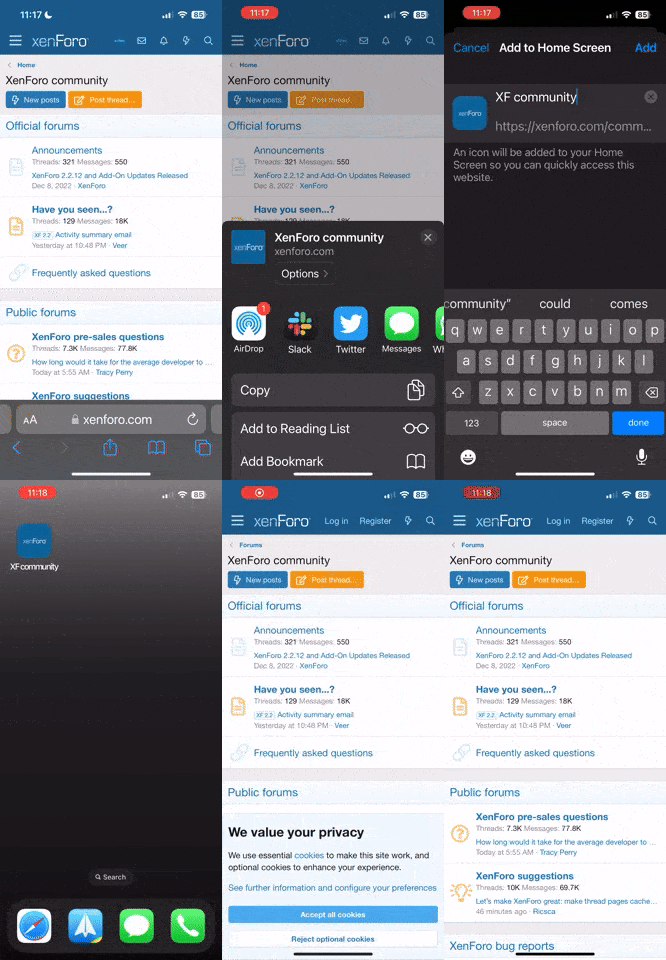
Napomena: this_feature_currently_requires_accessing_site_using_safari
